NIfTI viewer online (.nii / .nii.gz)
Open NIfTI volumes (.nii or .nii.gz) directly in your browser with full 2D multiplanar and 3D volume rendering. Files load locally — no upload and no software to install. Axial, coronal and sagittal views are MPR reformats rebuilt from the volume, and a slab MIP or MinIP is one click away.
Drop your scan or report here
DICOM, images (JPG/PNG) or a report PDF — add it all together
- Encrypted in transit & at rest
- You control deletion
- We never sell your data
- Results in minutes, not days
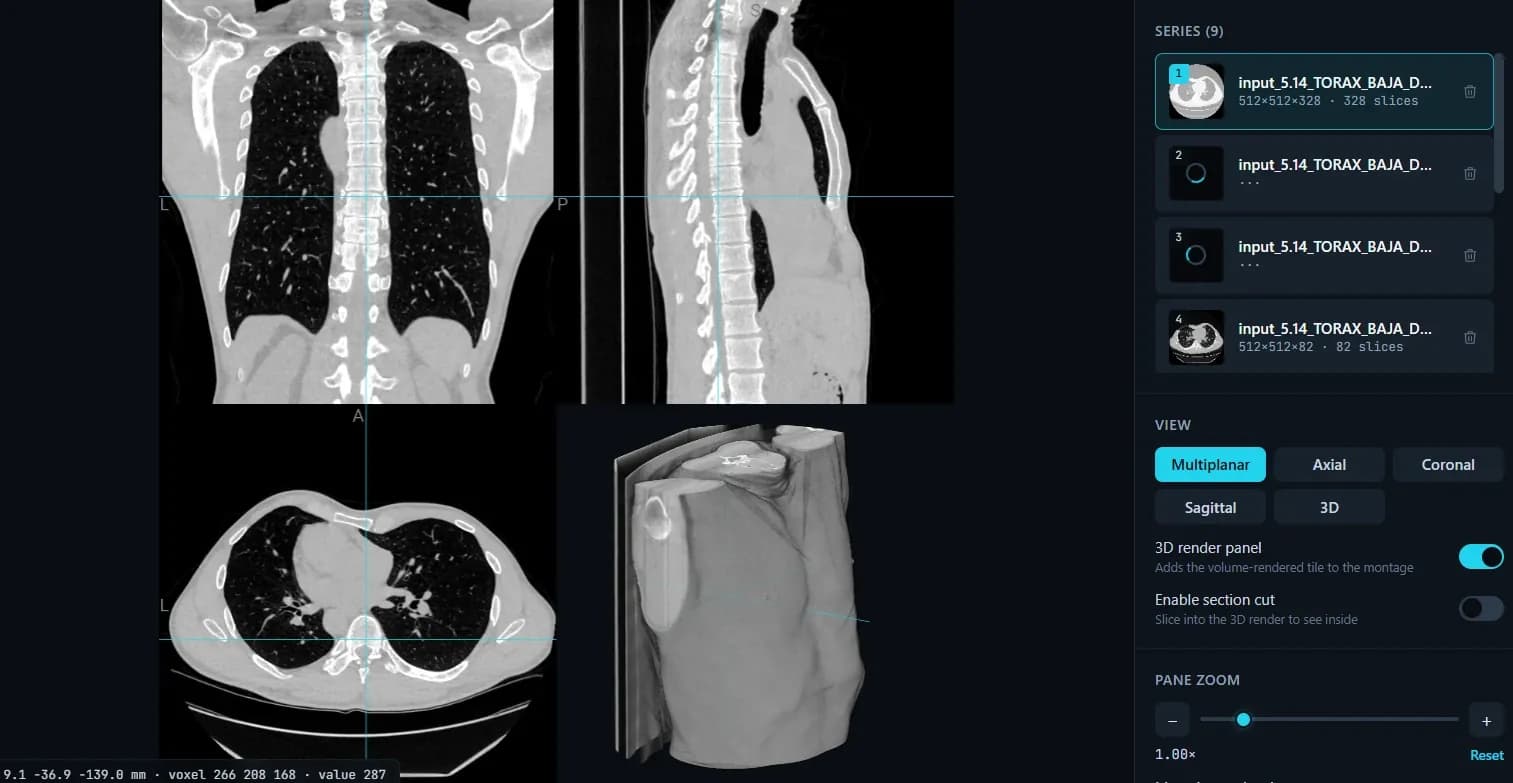
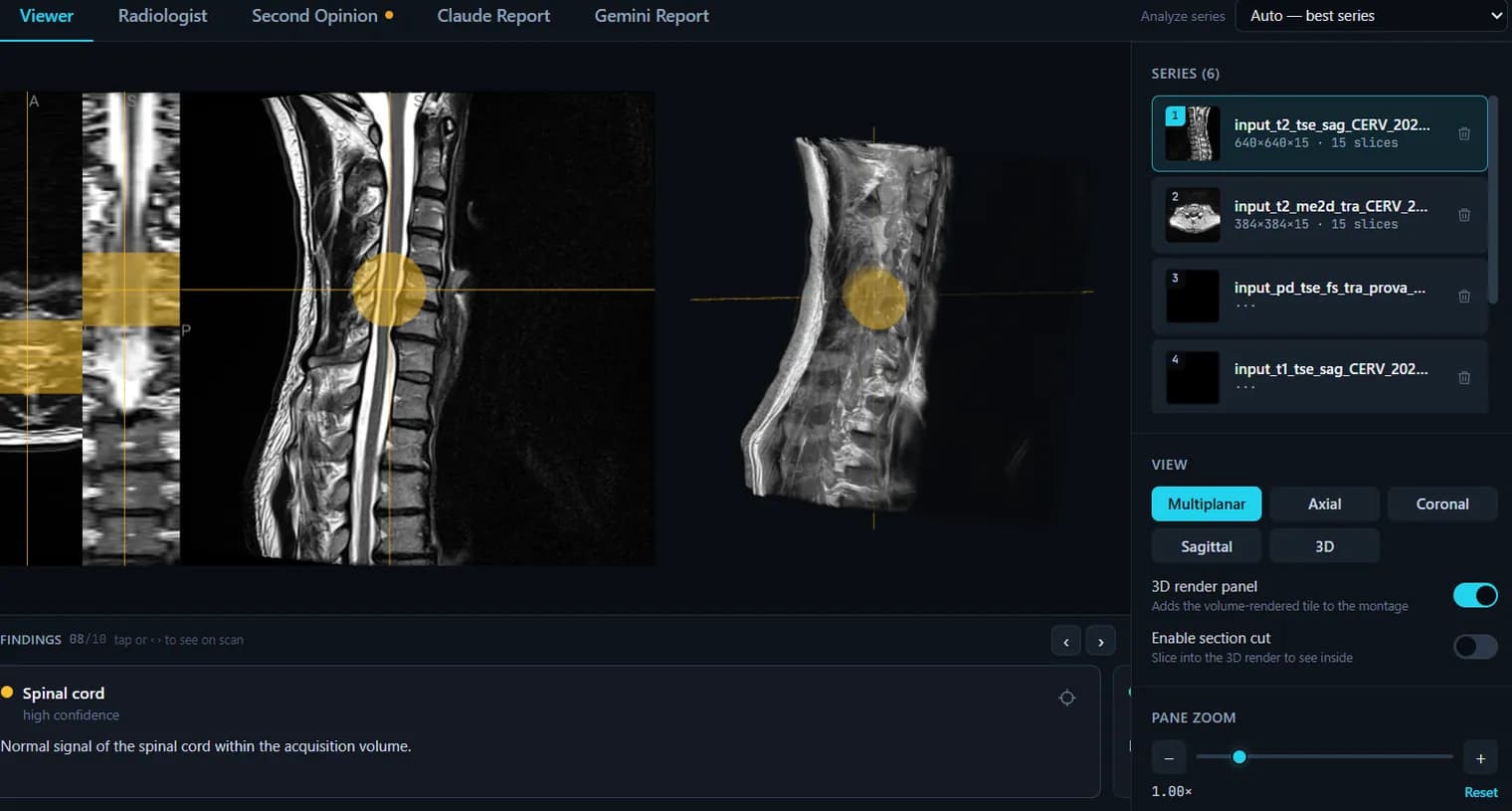
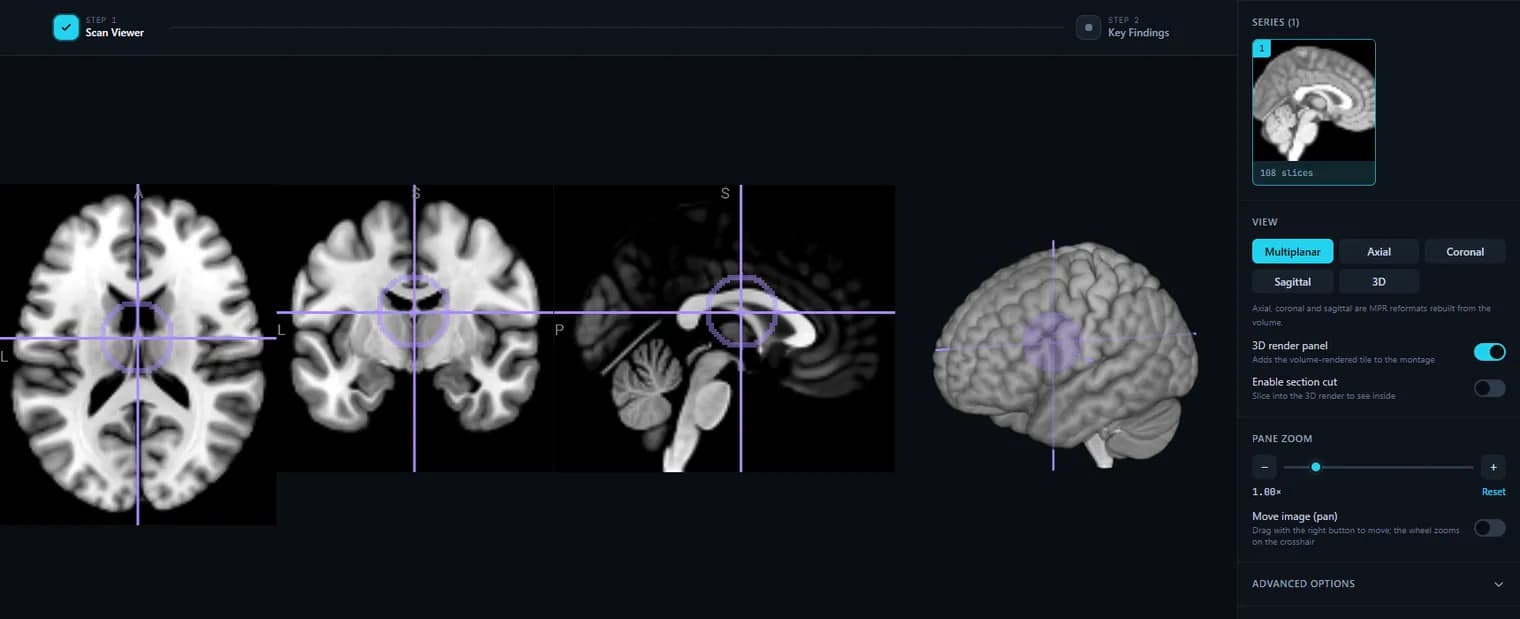
Opens: NIfTI files: .nii or gzip-compressed .nii.gz. · Files are processed in your browser — nothing is uploaded.
What this tool does
Both .nii and .nii.gz open directly
Gzip-compressed NIfTI is decompressed in the browser, so there is no unzip step and no temporary copy on disk. Drop the file on the panel or pick it with the file button.
Several volumes at once, switchable in a list
Load more than one file and each appears in the series list with its dimensions and slice count. Switching between them is one click, which is the quick way to compare a raw volume against a preprocessed or resampled one.
The header, in plain numbers
A metadata panel shows what the NIfTI header actually says: volume description, matrix dimensions, voxel spacing in millimetres, the 4D frame count for a timeseries, and bytes per voxel. It is the fastest way to check that a file has the resolution and geometry you expected.
Multiplanar views plus 3D volume rendering
Axial, coronal and sagittal panes are reformats computed from the volume and share one crosshair, and a 3D render tile can be added alongside them with rotation and a section cut to clip into the volume.
MIP and MinIP slab projections
Project a slab of chosen thickness in millimetres instead of a single slice — maximum intensity for bright structures, minimum for dark ones. Useful for seeing a whole vessel or a whole airway in one image rather than tracking it slice by slice.
Colormaps that suit statistical and label volumes
Grayscale and bone for anatomy; viridis, plasma, inferno and hot for parameter maps, where a perceptually uniform ramp makes a value change readable instead of decorative. The intensity window is set by exact min/max, so you can clip a map to the range you care about.
Nearest-neighbour or smooth interpolation
Turn smoothing off to see the true voxel grid — the stair-step of a thick-slice acquisition, the hard edges of a label map. Turn it on for a clean anatomical view. It changes the display only, never the data.
The raw voxel value under the cursor
The readout shows world mm, the voxel index and the value at that voxel. On a segmentation that value is the label id; on a statistical map it is the statistic — the check you would otherwise open Python for.
Large volumes load instead of killing the tab
A volume over roughly 40 million voxels is box-averaged down at load time so it fits in GPU memory, and the viewer says so, with a button to load it at full resolution once you know your machine can take it.
Nothing is uploaded
The file is parsed and rendered by your own browser. For research data under an IRB or a DUA that distinction matters: no server sees the volume, so viewing it here does not create a transfer.
What it does not do
Single-file NIfTI only — Analyze .hdr/.img pairs, .nrrd and FreeSurfer .mgz are not read. There is no overlay blending of one volume on another, no surface (.gii) rendering, no measurement or ROI drawing, and no editing: it displays volumes, it does not write them back.
How to use it
- 1.Click “Upload NIfTI file” and choose your .nii or .nii.gz volume.
- 2.It renders immediately in axial, coronal, sagittal and 3D views.
- 3.Adjust the intensity window, colormap and interpolation as needed.
FAQ
- Does it support .nii.gz?
- Yes — both uncompressed .nii and gzip-compressed .nii.gz load directly.
- Is my NIfTI file uploaded anywhere?
- No. The volume is parsed and rendered in your browser; nothing is sent to a server.
- Can I view multiple volumes?
- Yes, you can load several NIfTI files and switch between them in the series list.
- Does it support MPR and MIP?
- Yes. The viewer reads the whole volume rather than a stack of pictures, so the axial, coronal and sagittal views are genuine MPR reformats. Under Advanced options you can switch on a slab projection and set its thickness in millimetres: MIP keeps the brightest voxel through the slab (vessels, bone), MinIP the darkest (air, airways). Projections work on one plane at a time; oblique and curved (CPR) reformats are not supported yet.
Want your scan explained in plain language?
The viewer is free — and so is understanding your radiologist’s report. Create an account, upload your scan (de-identified in your browser) and your report, and every finding is mapped onto the images, explained in plain language and scored — no card needed. An independent AI reading of the images is a paid extra. Informational only — not a medical diagnosis.